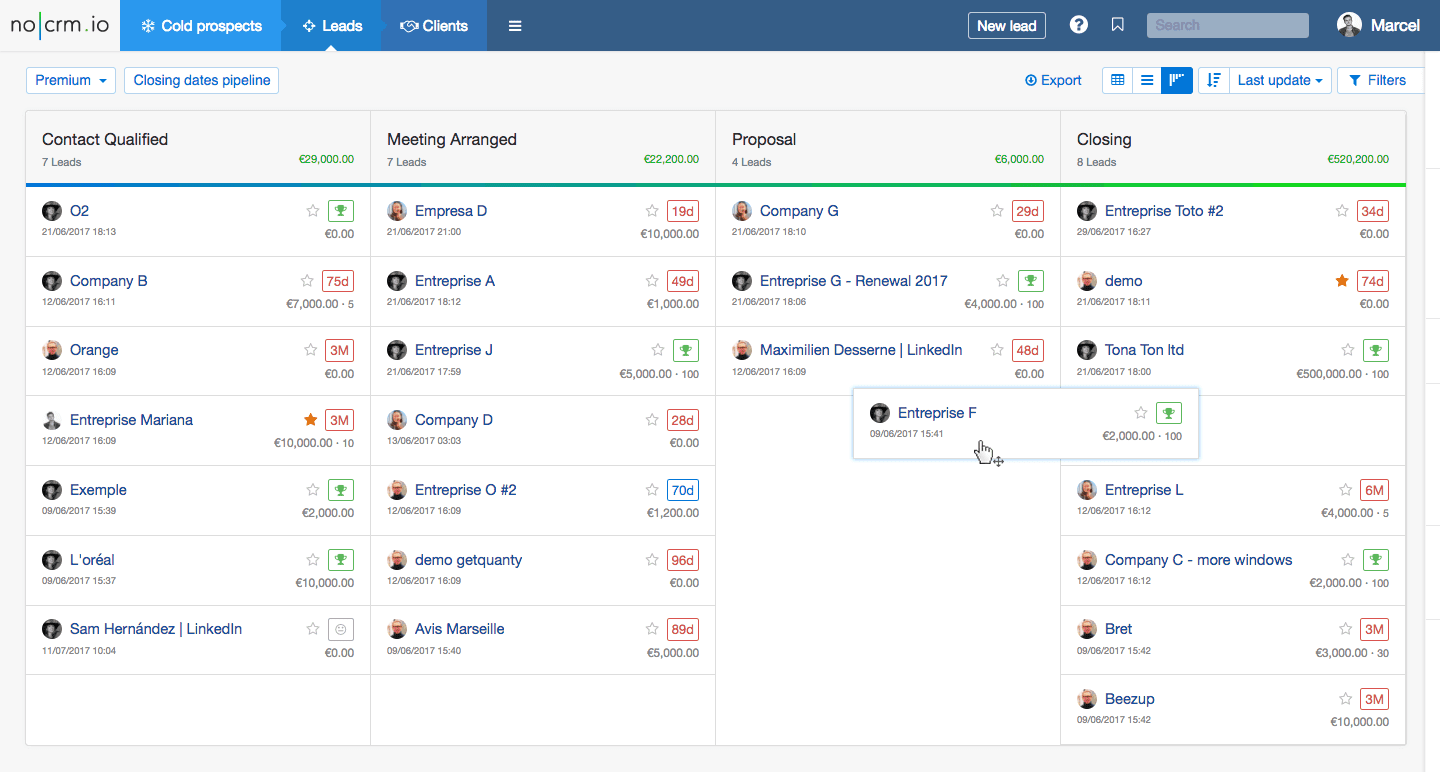
You have finally decided to invest in a Customer Relationship Management (CRM) system. The promise of streamlined sales, better customer service, and a centralized hub for all your data is tempting. Yet, for many companies, the journey from “Let’s buy CRM software” to “Our team uses it daily” is riddled with frustration. A botched roll-out can leave you with an expensive digital shelf warmer and a team that is more resentful than productive. The problem usually is not the software itself, but the lack of a structured path to get it up and running.
Implementing a CRM is not a one-and-done IT project; it is a fundamental shift in how your business manages relationships. If you want to see a real return on your investment, you need to treat this process with the same rigor as launching a new product. You need a plan that addresses not just the technical migration but also the human element—your employees. This guide provides a practical, step-by-step framework to navigate the entire lifecycle, from vendor selection to full adoption, ensuring you avoid the common pitfalls that derail many projects.
Step 1: Define Your Objectives and Requirements
Before you even look at a single vendor demo, you must decide what success looks like. Many teams skip ahead to comparing software features, only to realize later that they bought a tool built for a sales structure they don’t have. Start by asking the fundamental questions: What are we trying to fix? Are we losing deals because follow-ups fall through the cracks? Is our marketing team blind to what sales actually closes? Are customer service tickets taking too long because agents lack context?
Gather input from your future users, not just the executives. Your sales team knows what data they need to sell better, and your support team knows what history they need to resolve issues faster. This step is about creating a functional requirements document. Instead of focusing on “nice-to-have” features like gamification badges, focus on core needs like pipeline visibility, reporting accuracy, and integration with your current email or helpdesk tools. A clear set of objectives acts as your North Star, preventing scope creep later.
Process Your Data First
Data is the lifeblood of your CRM, but poor quality data will poison it quickly. If you are moving from spreadsheets, you likely have duplicates, outdated contacts, and incomplete records. Clean your data before you import it. Decide on a standard format for fields like phone numbers and company names. Assign a data owner who is responsible for the final cut. This is also the time to define what a “lead” versus a “contact” means in your system. If you don’t standardize this now, your sales reps will be hunting for information in the same old messy files, and the CRM will become just another silo.
Step 2: Choose the Right CRM and Champion
Now that you know what you need, you can evaluate which tools fit. The market is saturated with options, from complex enterprise platforms like Salesforce to agile systems like HubSpot or Pipedrive. Resist the urge to buy the most expensive suite because it looks impressive. Instead, look for a solution that maps to your specific workflows. If you are a B2B company with a long sales cycle, you need robust pipeline stages. If you are in e-commerce, you need deep integration with your order management system. Always prioritize ease of use—if it is not intuitive, your team won’t use it.
Beyond the software, you need a CRM Champion. This is not the person who just sends the “go live” email. This is a respected team leader who is enthusiastic about the change and can support their peers. They should be the primary point of contact for questions and feedback during the rollout. Having a champion from the actual user base (rather than IT) signals that this is a tool that helps them do their jobs, not a top-down mandate.
Map the User Journey
Do not just configure the software; configure it to mirror your actual sales process. If your process has a specific step for “Discovery Call,” your CRM pipeline stages should reflect that. This is where you customize fields, automation, and page layouts. Avoid over-customizing to the point where data entry becomes a chore. The goal is to make the CRM the path of least resistance. Set up automation to eliminate manual tasks, like automatically logging emails or assigning new leads based on location or size. This saves time and ensures that the data in the system stays current without requiring user effort.
Step 3: Migration and Integration Strategy
Data migration is often the most stressful part of the implementation. You do not want to lose historical data, but you also do not want to clutter your new system with irrelevant information. When importing, prioritize active records. A good rule of thumb is to import customers and active opportunities first, then move on to older archive data that might be needed for reference. Always perform a test import on a sandbox environment before touching the live database. This allows you to check for duplicate entries and formatting errors without risking your actual data.
Integration is just as critical as migration. A CRM that does not sync with your email client or calendar is a productivity killer. Decide which tools you need to connect on day one, such as your email marketing platform or billing software. If you try to integrate everything at once, you risk overwhelming your team and creating a support nightmare. Prioritize the integrations that save the most time. It is better to have two apps working flawlessly than five apps that are only half-connected and constantly breaking.
Step 4: Training and Onboarding
Here is the hard truth: A great CRM with poor training will fail. You cannot expect your team to learn the software by reading a 100-page manual. Instead, focus on role-based training. Your sales team needs to know how to log calls and manage their pipeline, but they don’t need to know how to build complex reports. Your managers need to know how to view dashboards and manage team performance. Break the training into short, actionable sessions that happen over several days or weeks, rather than one overwhelming 8-hour workshop.
Focus on Value, Not Just Features
When training, emphasize the “What’s in it for me?” angle. Show your team how the CRM saves them from tedious data entry or helps them avoid the awkwardness of forgetting a follow-up. If they see the CRM as a tool that simplifies their life, adoption will be organic. If they see it as surveillance software, they will fight it. Make it clear that the CRM is there to support them, not to micromanage their every click. Celebrate quick wins during the first week—like the first lead assigned automatically or the first report that runs without manual work.
Step 5: Launch, Measure, and Iterate
You do not have to get everything perfect on day one. Start with a soft launch. Invite a small group of power users to use the system first. This allows you to identify any bugs or workflow issues before the entire company sees them. During this phase, gather feedback actively. What is confusing? What is missing? Create a feedback loop where users can submit suggestions, and let them see that their feedback leads to changes. This builds trust and a sense of ownership.
Once you are ready for the full launch, define your success metrics. Look beyond just “number of logins.” Track the accuracy of the data, the number of follow-ups completed, and the length of your sales cycle. If your team is using the CRM correctly, you should see a reduction in lost deals and an increase in conversion rates. The implementation is not finished on launch day; it is a continuous cycle of listening to feedback, making adjustments, and optimizing your processes.
Overcoming Resistance to Change
You will inevitably face resistance. Some employees might feel the CRM is a “control mechanism” or simply prefer their old methods. Acknowledge these concerns openly. Have your CRM Champion hold one-on-one sessions with the biggest skeptics to understand their fears. Often, resistance is born from a lack of confidence or a misunderstanding of the tool’s capabilities. Provide extra support and be patient. It takes time to build new habits. If you see that certain features are simply not working for your team, adapt them.
Consider tying CRM usage to performance reviews or incentives, but be careful with this approach. If you force data entry, you will get fake data. Instead, reward the outcomes that the CRM enables, such as faster response times or higher customer satisfaction scores. Ultimately, the best way to overcome resistance is to demonstrate that the system is here to stay and that it genuinely helps everyone do their work better.
Conclusion
Implementing a CRM is a journey, not a destination. It requires careful planning, a focus on people, and a commitment to continuous improvement. By defining your goals, cleaning your data, and prioritizing training, you set the stage for a system that becomes the central nervous system of your business. Remember that the software is just the enabler; your team’s adoption is the engine that drives success. Do not rush the process, and be prepared to adapt as your business evolves.
Take the first step today by gathering your team and defining the specific problems you want to solve. With a structured approach, you can turn your CRM from a costly expense into your most valuable asset.
Frequently Asked Questions (FAQ)
How long does it take to implement a CRM system?
The timeline varies greatly depending on the complexity of the software and the size of your team. A basic implementation for a small business can take 4-6 weeks, while a large enterprise with heavy customization can take 6-12 months. A phased rollout often yields the best results.
What is the biggest mistake companies make during CRM implementation?
The most common mistake is treating it as a purely technical IT project rather than a change management initiative. This leads to poor user adoption because employees are not trained properly or don't see the value, resulting in an expensive digital graveyard.
Should I migrate all my historical data to the new CRM?
No, less is often more. Only migrate data that is actionable and relevant to your current operations, such as active deals and recent customer contacts. Archiving old, irrelevant data avoids cluttering your new system and confuses your team.
How do I get my sales team to actually use the CRM?
Focus on training that highlights the benefits to them, such as automated data entry and a clear view of the sales pipeline. Involve them in the testing phase and let them know their feedback is valued. It is also crucial to keep a clean, intuitive interface.
Can I implement a CRM without an integration specialist?
Many modern, user-friendly CRMs offer native integrations with popular tools like Gmail and Outlook, making it possible to do it yourself. However, if you need complex custom integrations with ERP or billing software, hiring a specialist is a wise investment to avoid costly errors.
How do I measure the success of my CRM implementation?
Track metrics that align with your original goals, such as the length of your sales cycle, customer retention rates, or the number of follow-ups completed. You should also measure user adoption rates to see if the team is fully embracing the tool.