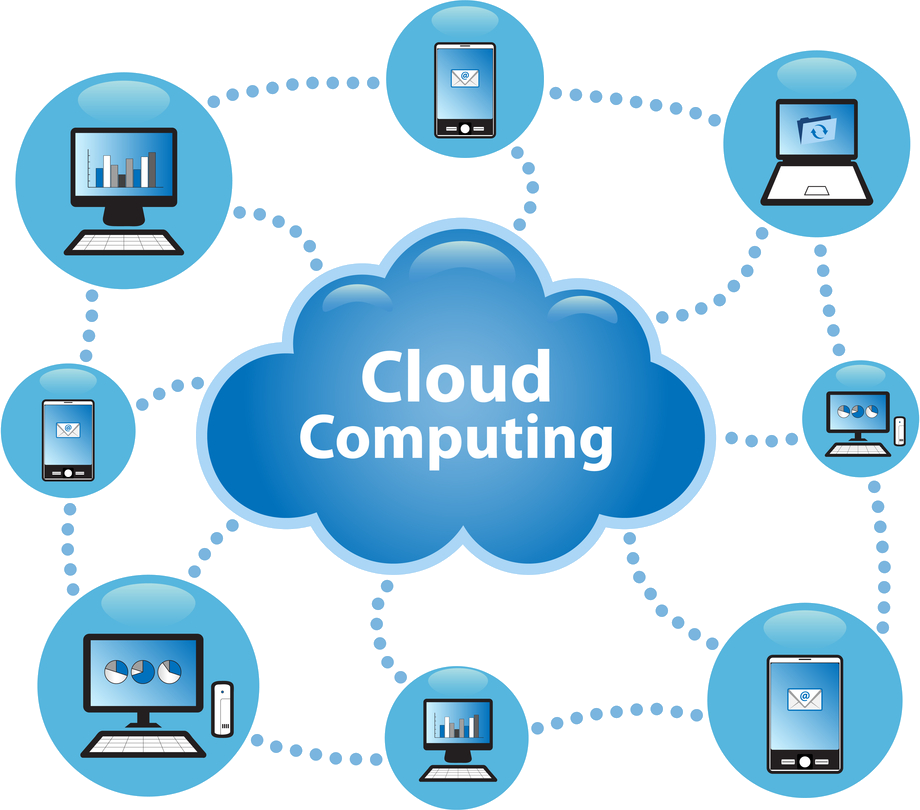
Imagine your entire sales pipeline, customer service history, and marketing data accessible from any device with an internet connection—no clunky software installations, no IT maintenance headaches, and no risk of losing data if your laptop takes a swim. That is the promise of a cloud CRM, and it has fundamentally changed how businesses of all sizes manage relationships. Unlike older, on-premise systems that require dedicated servers and constant manual updates, a cloud-based solution lives on your vendor’s servers and delivers everything through a secure web browser or mobile app.
For many teams, the shift to a cloud CRM feels less like a technology upgrade and more like a breath of fresh air. It breaks down silos between sales, support, and marketing, giving everyone a single, real-time view of every customer interaction. Whether you are a solopreneur tracking leads in a spreadsheet or a growing enterprise needing complex automation, understanding how this software works—and what it can actually do—is the first step toward building stronger, more profitable relationships. Let’s peel back the layers and look at the mechanics, the tangible wins, and the potential drawbacks you should consider.
What is a Cloud CRM and Why Does It Matter?
At its core, a cloud CRM (Customer Relationship Management) is a software-as-a-service (SaaS) platform that stores customer data, tracks interactions, and automates workflows entirely on the provider’s infrastructure. You access it via a subscription, typically paying a monthly or annual fee per user. The “cloud” part is the differentiator: you never have to buy hardware, install software, or worry about server room cooling. The vendor handles maintenance, security patches, and uptime guarantees.
This model matters because it levels the playing field. A startup can access the same enterprise-grade tools that were once reserved for Fortune 500 companies. It also enables remote work naturally—an inside sales rep in Tokyo can see a lead’s email opened in London seconds later. Because data syncs in real time, you eliminate the “version conflict” problem where two sales reps argue over the latest spreadsheet version. In short, the cloud CRM is the central nervous system for customer-facing operations, turning scattered data points into actionable intelligence.
Key Benefits: More Than Just Contact Storage
The advantages of moving to a cloud CRM extend far beyond simply ditching the rolodex. It impacts your bottom line, your team’s morale, and your ability to scale without blowing up your capital budget.
Accessibility and Remote Work Enablement
Your team is no longer chained to a desk. A field technician can update a service ticket from a client’s parking lot, and a sales manager can review pipeline forecasts from an airport lounge. Because the application is browser-based, you can log in from any laptop, tablet, or smartphone with an internet connection. This instant access reduces friction and ensures that crucial data entry happens while it is fresh, not three hours later when the details get fuzzy.
Scalability and Flexibility
With on-premise software, adding 50 new users might require purchasing new server licenses and waiting for IT to provision accounts. With a cloud CRM, you simply upgrade your subscription plan or add user seats in an admin console. It takes minutes, not weeks. Conversely, if you have a seasonal business, you can scale down during off-peak months and stop paying for unused licenses. This “pay-as-you-grow” model aligns software costs directly with revenue generation, making budget planning more predictable.
Lower Total Cost of Ownership (TCO)
While the monthly subscription fee is visible, the hidden savings are substantial. You eliminate capital expenditure on servers, reduce internal IT support time, and avoid the cost of upgrades. The vendor also handles data backup and disaster recovery—two things that are expensive to do well internally. When you factor in the cost of a system administrator’s salary plus hardware refresh cycles, the cloud CRM often comes out significantly cheaper over a five-year period.
Automatic Updates and Innovation
Vendors like Salesforce, HubSpot, and Zoho release updates several times a year. You wake up one morning and find new features, updated user interfaces, and improved security protocols already available—no deployment project required. This continuous innovation means your business automatically benefits from AI-driven lead scoring, advanced analytics, and new integrations without paying a separate consulting fee to implement them.
Essential Features to Look For in a Cloud CRM
Not all cloud CRMs are created equal. While the core function is contact management, the modern platforms are rich ecosystems. When evaluating your options, keep an eye out for these non-negotiable features that directly impact daily workflows.
Contact and Lead Management
This is the foundation. You need more than just names and phone numbers. Look for a system that automatically logs emails, tracks website visits, and records call outcomes. A good cloud CRM will show you a complete timeline of every touchpoint, from the first marketing email to the final contract signature. This “360-degree view” allows your team to personalize conversations based on context, rather than asking embarrassing “can you remind me what we discussed” questions.
Sales Pipeline and Workflow Automation
Visual pipeline views let you see exactly where each deal stands—is it a “proposal sent” or “negotiation” stage? But the real power lies in automation. You can set up rules so that when a lead fills out a form on your website, it automatically assigns them to a rep, sends a welcome email, and creates a follow-up task. This eliminates manual data entry and ensures no lead falls through the cracks. Advanced tools also allow for conditional logic, such as escalating a high-value lead to a senior salesperson if they open an important proposal twice.
Reporting and Customizable Dashboards
Data is useless if you cannot understand it. Good cloud CRMs offer drag-and-drop report builders and real-time dashboards. You can track metrics like win rate, average deal size, and sales cycle length without exporting data to Excel. Executive dashboards should be customizable so that the marketing director sees campaign attribution while the CEO sees revenue forecasts. The best part? These reports update automatically every time a rep updates a field, giving you a live pulse on the business health.
Integrations and API Access
A cloud CRM that does not play well with others will become a digital island. You will likely need it to connect with your email provider (Outlook or Gmail), marketing automation tools (Mailchimp, Marketo), accounting software (QuickBooks, Xero), and helpdesk platforms (Zendesk). Check the vendor’s app marketplace or marketplace. A robust API is also critical if you have proprietary tools that need a custom connection. The goal is to create a seamless flow where data moves between systems automatically, avoiding the “swivel chair” effect of re-typing information.
How Cloud CRM Actually Works: A Simple Technical Breakdown
Understanding the underlying architecture helps you appreciate why the cloud is so reliable. When you type a customer’s phone number into the search bar, a complex chain of events occurs in milliseconds.
First, your browser sends an encrypted request (HTTPS) over the internet to the vendor’s data center. The server authenticates your session, queries the central database (often a multi-tenant architecture where your data is separated logically but shares infrastructure), and retrieves the relevant records. The application layer then applies business logic—for instance, checking if a deal stage change should trigger a notification to a manager. Finally, the response is sent back to your browser, which renders the updated interface.
In a multi-tenant architecture, all customers share the same codebase and database infrastructure, which is why updates roll out frequently. In a single-tenant environment, your company gets its own dedicated database and server instance, which offers more customization but at a higher cost. Most small and mid-sized businesses opt for multi-tenant because it benefits from the “shared cost” model. Behind the scenes, the vendor handles load balancing, database replication across multiple geographic regions, and daily encrypted backups to prevent data loss from cyberattacks or hardware failure.
Potential Downsides and Data Security Considerations
It is wise to look at the cloud with open eyes. While the benefits are compelling, there are legitimate challenges that need a mitigation plan.
Connectivity and Dependence
Cloud CRM is useless without a stable internet connection. If your office’s internet goes down, you might be locked out of critical data. However, most modern vendors offer offline mobile apps that sync when you reconnect. You should also consider the “single-vendor lock-in” risk. Migrating data out of one cloud platform to another is rarely a simple export/import; it often involves complex data mapping and cleanup. Ensure you have a documented data export strategy from day one.
Security and Compliance
Storing sensitive customer data off-premise makes some business owners nervous. However, reputable vendors invest heavily in security—think encryption at rest and in transit, multi-factor authentication, and regular third-party penetration testing. Look for certifications like SOC 2 Type II, ISO 27001, and GDPR compliance. Before signing a contract, ask exactly where your data resides (data residency) and whether you have access to audit logs. It is also your responsibility to manage user permissions properly; a disgruntled employee with admin rights can still steal data regardless of where it is hosted.
How to Choose the Right Cloud CRM for Your Business
Selecting a platform is not about picking the most popular name; it is about finding the best fit for your workflows. Start by defining your core requirements—do you need advanced marketing automation, or is a simple sales tracker enough? Involve your sales team in the demo; they are the primary users. Ask for a pilot program with real data, not just a sandbox. Pay attention to ease of use—if it takes more than two hours to train a new user, the adoption rate will plummet. Finally, calculate the total cost including per-seat pricing, onboarding fees, and potential costs for additional storage or premium support. A tool that costs $10 per user per month but requires a $5,000 consulting fee to set up is not cheap.
Remember that the software is only half the battle. Your team needs clear processes for entering data, updating stages, and following up on tasks. A cloud CRM will not magically fix a sloppy sales process; it will simply make your inefficiencies visible faster. Start with the end goal in mind—whether that is shortening your sales cycle or improving response times—and work backward to configure the system to support that outcome.
Conclusion
Cloud CRM has evolved from a trendy tech buzzword into a non-negotiable infrastructure for modern business operations. It offers a unique blend of accessibility, scalability, and analytical power that legacy systems simply cannot match. By moving your customer data to a secure, managed cloud environment, you free your team to focus on what they do best: building relationships and closing deals.
The key takeaway? Success does not come from the software itself but from how you leverage its features to create consistent, personalized customer experiences. Start small, automate what you can, measure your results, and scale. Your customers will notice the difference in your responsiveness, and your sales reps will thank you for giving them a tool that actually makes their day easier, not harder.
Frequently Asked Questions (FAQ)
Is a cloud CRM secure enough for financial or healthcare data?
Reputable providers use bank-level encryption and comply with strict standards like HIPAA or SOC 2. However, you must sign a Business Associate Agreement (BAA) and configure user permissions correctly. It is often more secure than on-premise systems because vendors have dedicated security teams, but you are still responsible for employee access controls.
Can I access my cloud CRM data without an internet connection?
Most major platforms offer offline mode in their mobile apps. You can view and edit records, and the app syncs changes once you reconnect. However, real-time collaboration features like live dashboards require a connection, so check the specific offline capabilities of your chosen vendor.
How long does it take to migrate from a spreadsheet or legacy CRM?
It depends on data quality and volume. For a small business with 5,000 contacts, a basic migration might take a weekend. For a large enterprise with years of history, plan for 4-8 weeks including data cleanup, deduplication, and user training. Most vendors offer free migration tools, but expect to invest manual time in mapping fields.
What is the difference between a cloud CRM and an on-premise CRM?
The main difference is where the software runs. Cloud CRM is hosted on the vendor's servers and accessed via browser, requiring no hardware. On-premise is installed on your own servers, requiring IT staff to maintain and update it. Cloud offers lower upfront costs and remote access, while on-premise offers more control over customization and data residency.
Will my sales team actually use the cloud CRM if they are used to spreadsheets?
Adoption rates typically improve if you choose a user-friendly interface and provide adequate training. Focus on showing them the "what's in it for me" aspect, like automated email logging that saves them typing time. Avoid forcing rigid fields; instead, make the tool beneficial to their daily routine.
Can I customize a cloud CRM to match my specific business processes?
Yes, most platforms offer drag-and-drop customization for fields, page layouts, and workflows. You can create custom modules for unique data like "Project Sites" or "Warranty Claims." However, avoid heavy customization during the pilot phase. Stick to standard features first, then iterate based on user feedback to avoid costly technical debt.