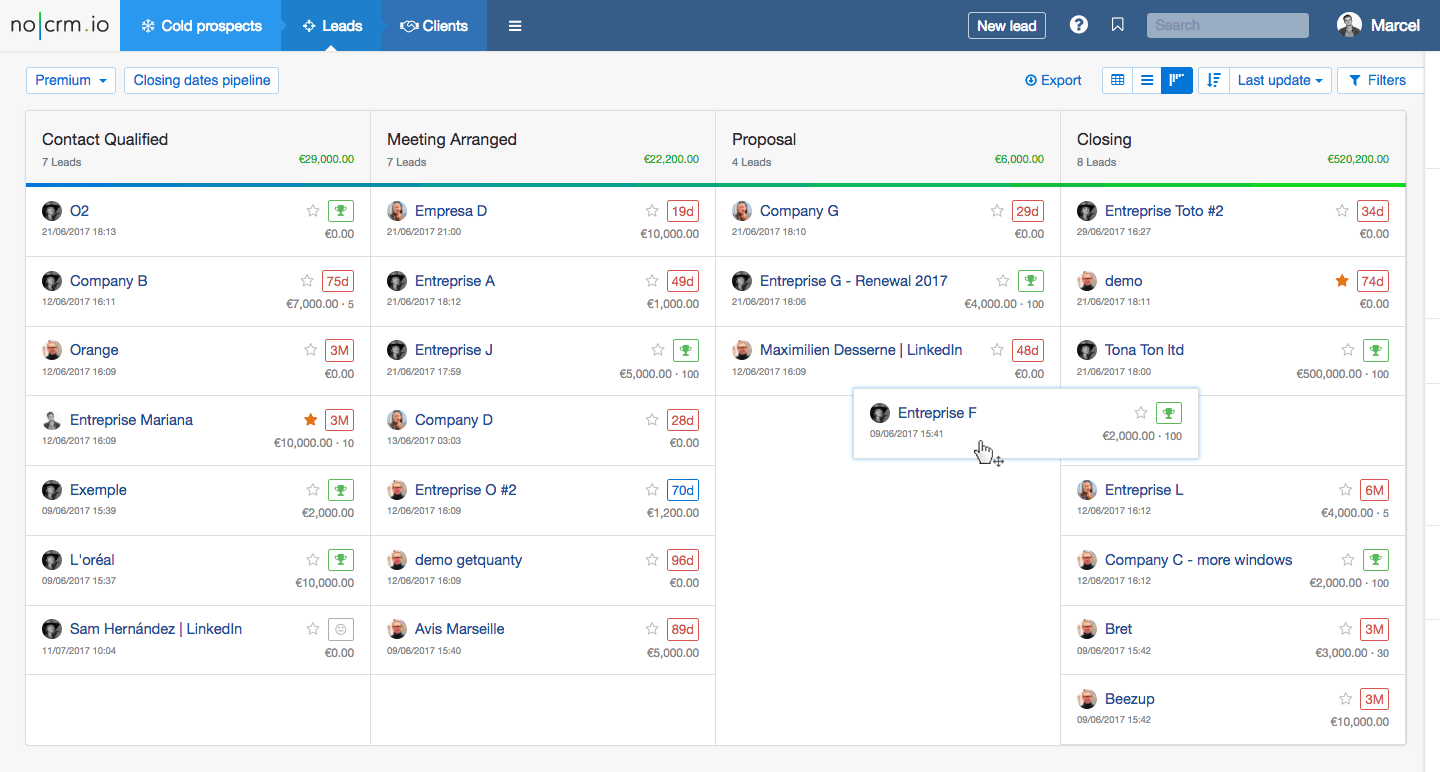
Running a business in 2026 means juggling a thousand moving parts, and keeping track of every lead, deal, and customer interaction without a solid system is a recipe for missed opportunities. You might think that a proper CRM (Customer Relationship Management) tool is a luxury reserved for enterprises with deep pockets, but that is no longer the case. The market is now flooded with genuinely powerful free tiers that can organize your sales pipeline, automate tedious follow-ups, and give you a clear overview of your team’s performance without costing you a dime.
However, “free” in the software world often comes with fine print. The challenge is distinguishing between a platform that is genuinely useful at no cost and one that simply offers a glorified trial that expires in two weeks. This guide cuts through the noise to evaluate the best free CRM software for 2026, focusing on real-world utility, user limits, and the features that actually matter for growing businesses. Whether you are a solopreneur just starting out or a small team looking to ditch the spreadsheets, there is a solution here that fits your workflow.
We will explore the top contenders, break down their limitations, and help you decide which one aligns best with your sales process. From intuitive kanban boards to advanced automation, we are covering the specifics so you can make a confident choice. By the end of this guide, you will know exactly where to sign up and what to watch out for, ensuring you get the most value from your software stack in the coming year.
What to Look for in a Free CRM in 2026
Before diving into the specific platforms, it is crucial to understand that not all free plans are created equal. The ideal free CRM should feel like a complete tool, not a teaser. As you evaluate your options, keep a few core criteria in mind to ensure you are not wasting your time.
First, look at the user limits. Many vendors cap free accounts at two or three users. If you have a team of five, this is an immediate dealbreaker. Second, consider the storage and data limits. You do not want to be constantly deleting attachments or old emails to make room for new ones. Finally, pay attention to the reporting features. The best free tools offer basic dashboards that give you visibility into your sales pipeline, while others hide these behind a paywall, forcing you to rely on manual data export.
Understanding the “Freemium” Trap
The freemium model is designed to get you hooked on the software so you eventually upgrade. This is not inherently bad, but you need to know the difference between “limited features” and “unusable without payment.” For example, a tool that only lets you send one email template is limiting, while one that blocks you from seeing your dashboard entirely is a non-starter. Always check the vendor’s pricing page to see exactly what the free tier includes, especially regarding email marketing credits and automation rules.
The Top Free CRM Contenders for 2026
Based on current market trends and feature availability, a few platforms stand out above the rest for 2026. These are not just stripped-down versions; they offer substantial functionality that can support a real sales process.
HubSpot CRM: The All-Rounder
HubSpot remains the undisputed king of the freemium model for a reason. The free version is surprisingly comprehensive, offering not just contact management but also a visual pipeline that is incredibly intuitive. You get a 2,500-email sending limit per month (which refreshes), meeting scheduling, and the ability to track emails you send from your own inbox. The best part? There is no expiration date, and you can have up to 100 users on the free plan. This makes it the ultimate choice for businesses that want room to scale without immediately paying for a subscription.
However, the free version does have its limits. You will find that some of the more advanced automation, like multi-step workflows or custom reporting, is locked behind the paid tiers. But for a small business that needs to manage contacts and deals efficiently, HubSpot is hard to beat. It is a platform you can genuinely use for years before hitting a paywall that forces your hand.
Pipedrive: Simplicity and Pipeline Focus
If your team lives and dies by the sales pipeline, Pipedrive’s free plan is a compelling option. While it does limit you to one sales pipeline and a small number of data fields, the user interface is incredibly fast and clean. It is built for action, allowing you to drag and drop deals through stages with zero friction. The free tier allows for up to 3 users, which is perfect for a tight-knit sales team that needs to avoid bureaucracy and focus on closing.
Where Pipedrive falls short is in its storage limits and lack of robust integrations on the free plan. Email integration exists, but you might feel the pinch if you need to connect hundreds of third-party apps. Yet, if your primary goal is to stop losing track of deals and you need a simple tool that your team will actually use, Pipedrive offers a level of focus that HubSpot sometimes lacks due to its sheer size.
Zoho CRM: The Customization King
Zoho offers one of the most feature-dense free CRMs on the market, making it a favorite for businesses that need a high degree of customization. Unlike HubSpot, which is somewhat rigid in its data structure, Zoho allows you to create custom modules and fields even on the free tier. You get a fair amount of storage (up to 500 MB total) and can generate a wide variety of standard reports. The mobile app is also excellent, allowing you to manage deals on the go.
The trade-off here is the learning curve. Zoho is powerful but can feel overwhelming compared to the out-of-the-box simplicity of Pipedrive. The free plan supports up to 3 users, which aligns with the industry standard. If you are willing to spend a few hours setting up your modules and workflows, Zoho offers incredible value and a level of control that is rare in the no-cost space.
Monday.com: The Visual Project Hub
While often categorized as a project management tool, Monday.com’s CRM capabilities have grown significantly. The free plan for up to 2 users offers a highly visual board system that is excellent for tracking not just sales but also marketing campaigns and customer success tasks. It is incredibly flexible, allowing you to view your pipeline as a board, timeline, or calendar. This makes it a great choice for businesses that want their CRM to double as a general operations hub.
However, the free plan is quite restrictive on features—you lose access to the timeline and calendar views, and automation is limited. For a solo entrepreneur, this is fine, but for a team, it can feel restrictive. Monday.com is best suited for those who prioritize visual clarity and project tracking over deep sales-specific features like lead scoring or complex email sequences.
Choosing Between Sales-Focused and Marketing-Focused CRMs
One of the biggest strategic decisions you will make is choosing a tool that excels at sales management versus one that is designed for marketing automation. In 2026, the line is blurring, but the core strengths remain. If you are a B2B company that relies on outbound calls and a defined sales process, Pipedrive or Zoho will serve you well. They are built to manage leads through stages efficiently.
Conversely, if your business relies heavily on inbound lead generation, content marketing, and email newsletters, HubSpot’s free plan is superior. It allows you to send branded emails, track website visits (with some limitations), and understand where your leads are coming from without paying for a separate email marketing tool. The choice ultimately boils down to your primary revenue driver. You need a system that reduces friction in your sales cycle, not one that forces you to adapt to a specific methodology.
Hidden Gems and Niche Alternatives
Beyond the big names, a few lesser-known CRMs are making waves with their generous free plans. Agile CRM, for instance, offers a free plan with up to 10 users, which is remarkable for the industry. It includes basic contact management and a simple pipeline, making it a great option for startups that need to give a large team access without paying. The downside is that the user interface feels a bit dated compared to competitors, and support is slow on the free tier.
Another option worth considering is Bitrix24. Their free plan is incredibly generous in terms of data storage (5 GB) and includes a full suite of tools like telephony and project management. However, the interface is notoriously cluttered and complex. It is a powerful tool if you can master the learning curve, but for many small businesses, the time investment required to understand the platform negates the cost savings. It is best to start with the user-friendly options unless you have a specific need for the advanced features that Bitrix24 offers.Making the Transition from Excel to a CRM
If you are currently using spreadsheets to manage your customers, making the switch to a free CRM is the single best productivity upgrade you can make in 2026. Spreadsheets are prone to human error, lack real-time collaboration, and fail to provide the visual context of a pipeline. The good news is that almost all free CRMs offer simple CSV import tools. You can set up your new system in under an hour.
To ensure a smooth transition, start by cleaning your data. Remove duplicate contacts and fill in any missing information before importing. Once your data is in the system, commit to using the tool daily. A CRM is only as good as the data you put into it. If your team is resistant to change, emphasize the benefits: no more lost emails, no more forgetting to follow up, and a clear view of what everyone is working on. The initial effort is minimal compared to the long-term clarity you will gain.
Conclusion
The landscape for free CRM software in 2026 is more favorable than ever before. You no longer have to compromise on quality if you are not ready to invest financially. HubSpot remains the gold standard for its comprehensive feature set and unlimited users, while Pipedrive offers unmatched simplicity for sales-focused teams. Zoho provides deep customization for those who need it, and Monday.com excels in visual project management.
The key takeaway is to identify your specific workflow needs before signing up. Take advantage of the free trials and explore the interfaces. The right free CRM will save you time, increase your closing rates, and provide the organizational structure your business needs to grow. Start with the tools listed here, and you will be well on your way to building a more efficient sales engine this year.
Frequently Asked Questions (FAQ)
Can I really get a good CRM without paying anything?
Yes, absolutely. Platforms like HubSpot and Zoho offer genuinely useful free tiers that include contact management, pipeline tracking, and email integration. These are not just trials; they are permanent free versions that are perfectly suitable for small businesses and startups with limited budgets.
What is the biggest limitation of free CRM software?
The most common limitations are user caps (often limited to 2-3 users) and the lack of advanced automation features. You may also find that storage space is restricted, and certain premium features like custom reporting or lead scoring are locked behind a paywall.
How many users can I have on a free CRM plan?
This varies by provider. HubSpot allows up to 100 users on its free plan, which is exceptional. Others, like Pipedrive and Zoho, typically limit you to 2 or 3 users. Always check the vendor's pricing page for the most current limits.
Is it difficult to migrate my data from Excel to a free CRM?
No, it is usually very straightforward. Most CRM platforms offer built-in CSV import tools that let you upload your contacts and deals in a few clicks. It is recommended to clean your data first by removing duplicates to ensure a smooth transition.
Can free CRM software help me send marketing emails?
Yes, some do. HubSpot's free plan includes a limited email sending feature (around 2,500 emails per month) which is great for basic newsletters. However, most other free plans do not include bulk email marketing, so you may need to integrate with a separate tool if this is a core need.