Ask any sales representative what their least favorite part of the job is, and you will often hear about data entry, manual follow-ups, or digging through spreadsheets to find a lost email thread. While the core of sales has always been about relationships and persuasion, the modern sales environment runs on organization and speed. This is where a robust Customer Relationship Management (CRM) system stops being a “database” and becomes the operational nerve center for the entire team. It is no longer just a tool for management to check dashboards; it is the daily workspace where deals are won, forecasts are sharpened, and customer trust is built.
However, purchasing a CRM license does not automatically translate to revenue. Many teams adopt a CRM only to find their reps using it as a glorified address book or, worse, avoiding it altogether. The difference between a tool that gathers digital dust and one that drives growth lies in understanding the specific intersection of features, human behavior, and workflow design. In this guide, we will break down the essential features your sales team actually needs, the tangible benefits that justify the investment, and the actionable best practices that turn a simple database into a selling machine.
Whether you are transitioning from a legacy system or starting fresh with a lean startup, this article will help you audit your current process and set up a framework that scales. We will look beyond the hype and focus on the practicalities of daily use, adoption, and strategic alignment.
The Non-Negotiable Features of a Sales CRM
Not all CRMs are created equal, but the best ones share a core set of functionalities that directly impact the sales cycle. When evaluating a platform, you should look for these specific capabilities rather than getting distracted by flashy AI add-ons that might not be necessary yet.
Centralized Contact and Account Management
At its core, a CRM must be the single source of truth for every interaction your team has with a prospect. This goes beyond just names and phone numbers. You need a comprehensive history that includes email opens, website visits, meeting notes, and even social media engagement. The goal is to eliminate the “tribal knowledge” problem where a rep leaves and takes the client history with them. A centralized system ensures that a new team member can pick up a conversation mid-stream without asking the previous owner for a briefing.
Pipeline and Deal Stage Management
A static list of contacts is useless. Your CRM needs to visualize deals in a pipeline that mirrors your exact sales process. This means customizable stages—from initial contact to proposal sent to closed-won. The visual nature of a pipeline view (often a Kanban board) allows reps to instantly see where their deals are stalled and what actions need to be taken next. More importantly, it gives managers a real-time snapshot of cash flow projections based on deal probability, rather than relying on gut feeling.
Built-In Communication and Activity Tracking
If your team has to switch tabs to their email client to log an interaction, adoption will plummet. The best CRMs integrate directly with your email and calendar. This feature automatically logs sent emails, schedules follow-ups, and tracks when a prospect opens a message or clicks a link. This automation removes the manual friction of data entry. It also provides crucial context; when a rep sees that a prospect opened a proposal three times but never clicked the pricing link, they know exactly how to tailor their follow-up call.
Advanced Reporting and Forecasting
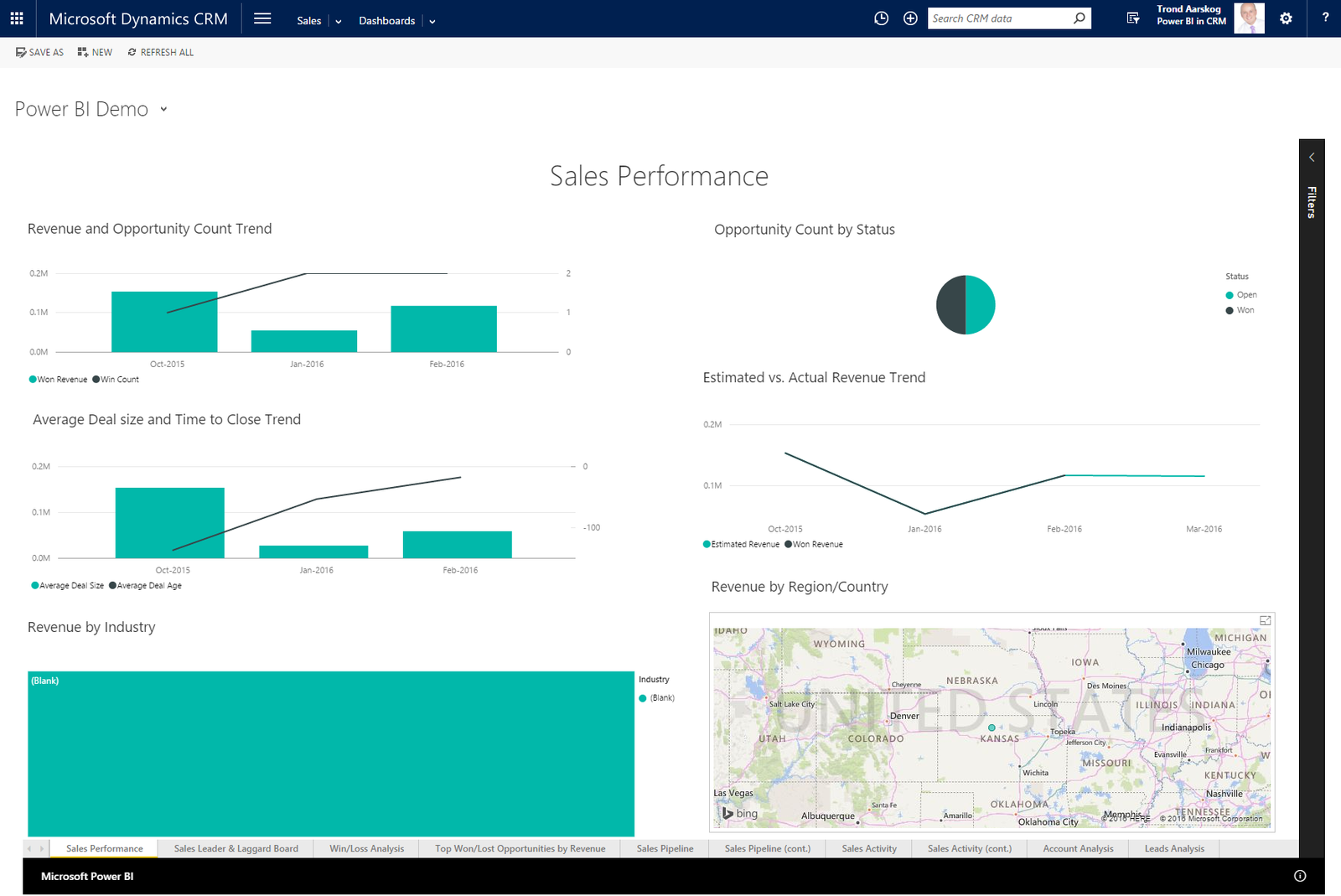
Data is only useful if it is actionable. Robust reporting features allow you to generate custom dashboards that track conversion rates, win/loss ratios, and sales cycle length. However, the most valuable feature for leadership is accurate forecasting. Instead of guessing if the quarter will be good, managers can use the CRM data to analyze historical trends and the health of current deals. This allows for proactive intervention—such as bringing in a sales engineer or a senior executive to help close a stalled deal—rather than reactive scrambling at the end of the month.
The Tangible Benefits: Why Your Team Will Actually Sell More
Implementing a CRM is not just about efficiency; it is about creating a strategic advantage. The benefits are felt across the entire organization, from the junior rep to the VP of Sales.
Improved Lead Prioritization and Qualification
Not all leads are ready to buy. A good CRM helps you score leads based on behavior (e.g., downloading a white paper) and demographic fit (e.g., company size). This allows reps to focus their energy on high-intent prospects rather than chasing tire-kickers. By automating the qualification process, the CRM ensures that the sales team spends 80% of their time on the 20% of leads most likely to convert, dramatically increasing close rates.
Enhanced Collaboration and Internal Alignment
Sales is rarely a solo sport anymore. You have SDRs passing leads to AEs, and AEs looping in Solutions Engineers. Without a shared platform, this handoff is clunky and prone to errors. A CRM breaks down silos by providing a shared workspace where teams can tag colleagues, @mention in comments, and attach relevant sales collateral directly to the deal record. This creates a seamless handoff process, ensuring that no context is lost and that the customer receives a consistent message from every touchpoint.
Shortened Sales Cycles
Time kills deals. The longer a prospect sits in limbo, the higher the chance they sign with a competitor. CRMs shorten the sales cycle by drastically reducing the time spent on research and manual tasks. With instant access to purchasing history, previous conversations, and pending service tickets, a rep can answer questions immediately and move the deal forward. Automated reminders ensure that no follow-up slips through the cracks, keeping the momentum going until the contract is signed.
Best Practices for Implementation and Daily Use
Investing in software is easy; changing human behavior is hard. The success of your CRM hinges entirely on how well it is adopted and managed. Here are the golden rules for getting it right.
Audit Your Sales Process Before You Configure
One of the biggest mistakes companies make is buying a CRM and immediately trying to reverse-engineer it to fix a broken process. Instead, map out your sales cycle before you start customizing. Sit down with your sales team and ask: What does “qualified” mean? How many touchpoints do we need? What is our definition of a “hot” lead? Once you have clarity on your workflow, you can configure the CRM to support it. If your process is chaotic, the CRM will only make that chaos more organized—but it won’t fix the underlying strategy.
Prioritize Data Hygiene from Day One
Garbage in, garbage out. This cliché is painfully true in the CRM world. If your database is full of duplicates and outdated contacts, your reporting becomes meaningless, and your reps will lose trust in the system. Implement rules for duplicate management and make data entry a non-negotiable part of the sales process. Consider making key fields mandatory before a deal can move to the “Closed Won” stage. Regular data audits—quarterly or bi-annually—are essential to keep the database clean and valuable.
Automate the Mundane, Not the Relationship
Use automation to handle repetitive tasks like logging calls, assigning leads, and sending out standard follow-up emails. However, know where to draw the line. If you over-automate, your outreach will sound robotic and impersonal. The best strategy is to use automation for speed-to-lead (contacting a lead within seconds) and for reminders, but encourage reps to write personalized notes for the high-touch moments. The CRM should handle the busywork so your team has more time for the nuanced conversations that actually close deals.
Overcoming Common CRM Adoption Hurdles
Resistance to change is the number one killer of CRM initiatives. Here is how to address the most common objections you will face.
Dealing with the “It’s Too Much Data Entry” Objection
If your reps complain about data entry, you are doing it wrong. The goal should be zero manual entry for every interaction. Ensure your CRM has a robust mobile app and email sync functionality. If the system requires your reps to type a paragraph after every call, they will stop making calls. Instead, use the CRM to create structured checklists and drop-down menus that make logging interactions faster than writing a narrative. If it takes more than 10 seconds to log a note, the UX is failing.
Securing Executive Buy-In
Adoption flows from the top down. If leadership checks the dashboard only at the end of the month to judge performance, reps will see the CRM as a “Big Brother” tool and game the system. Instead, executives should use the CRM daily to coach and support their teams. When managers use the data to ask questions like, “I noticed you have 5 deals stuck in the negotiation stage, how can I help you move them forward?” it shifts the narrative from surveillance to support. This encourages honest data entry and long-term usage.
Mobile Accessibility and the Remote Sales Force
In the modern business landscape, sales is no longer confined to a desk. Your team is likely on the road, at conferences, or working from home. A mobile-first CRM is no longer a luxury; it is a necessity. The ability to quickly pull up a client’s file before a meeting, update a deal status from a parking lot, or receive a push notification when a high-priority lead replies is crucial. If your CRM feels clunky on a smartphone, your reps will inevitably revert to sticky notes and Excel spreadsheets, leaving your data stale and your pipeline blind.
Integrating Your CRM with the Rest of Your Stack
Your CRM should not be an island. It needs to play nicely with your other business tools to be truly effective. At a minimum, it should integrate with your email provider, calendar, and communication tools like Slack or Zoom. More advanced integrations with your marketing automation platform (like HubSpot or Marketo) allow for seamless lead nurturing handoffs. A sales rep should be able to see if a prospect has engaged with a marketing email or visited the pricing page, all from within the CRM interface. This 360-degree view enables a more consultative sales approach and prevents the customer from having to repeat themselves at every stage of the journey.
Conclusion
Implementing a CRM for your sales team is a strategic investment in your company’s growth and efficiency. It is far more than a simple software purchase; it is a commitment to disciplined processes and data-driven decision-making. By focusing on the right features—centralized data, pipeline visibility, and automation—and adopting the best practices of clean data and executive coaching, you can transform your CRM from a cost center into a revenue generator. The key is to remember that the software is merely the vehicle; your team’s consistency and your leadership’s support are the fuel that moves the needle.
Start small, focus on habits, and let the tool scale with your success. When your reps wake up and feel lost without the CRM, you will know you have officially built a sales engine that is built to last.
Frequently Asked Questions (FAQ)
How long does it take to see results after implementing a sales CRM?
While you can see immediate improvements in organization, tangible ROI typically takes 2 to 3 months. This timeline allows for data migration, team training, and habit formation. The real value compounds as historical data accumulates, enabling better forecasting and strategic decision-making.
What is the difference between a CRM for sales and a simple spreadsheet?
A spreadsheet is static and requires manual upkeep, offering no real-time visibility. A CRM is dynamic and interactive, automating follow-up reminders, tracking deal stages, and providing a collaborative platform where all team members can see the latest status. It centralizes communication and activity, providing context that a spreadsheet simply cannot offer.
Should we customize the CRM to fit our existing sales process, or change our process to fit the CRM?
The best approach involves a balance. You should first define your "ideal" sales process and then look for a CRM that aligns with 80% of that vision out-of-the-box. Heavy customization can be expensive and make upgrades difficult. Use the software's native features to enforce best practices, but be willing to streamline your own processes to align with the tool's proven workflows.
How do I get my sales reps to actually use the CRM consistently?
Focus on the "What's In It For Me" (WIIFM) factor. Show reps how the CRM reduces their manual work through automation and provides them with better data to close deals. Make the tool a daily source of value through quick access to information, and crucially, ensure that management uses the platform to coach rather than just to monitor performance.
Is it worth paying extra for AI-powered features in a CRM?
It depends on your team's size and maturity. AI features like predictive lead scoring and conversation intelligence are powerful, but they are only as good as the data they process. For smaller teams just starting out, basic automation often provides 90% of the value. Revisit AI tools once you have a large, clean dataset and specific pain points related to forecasting or lead prioritization.